Bartleby
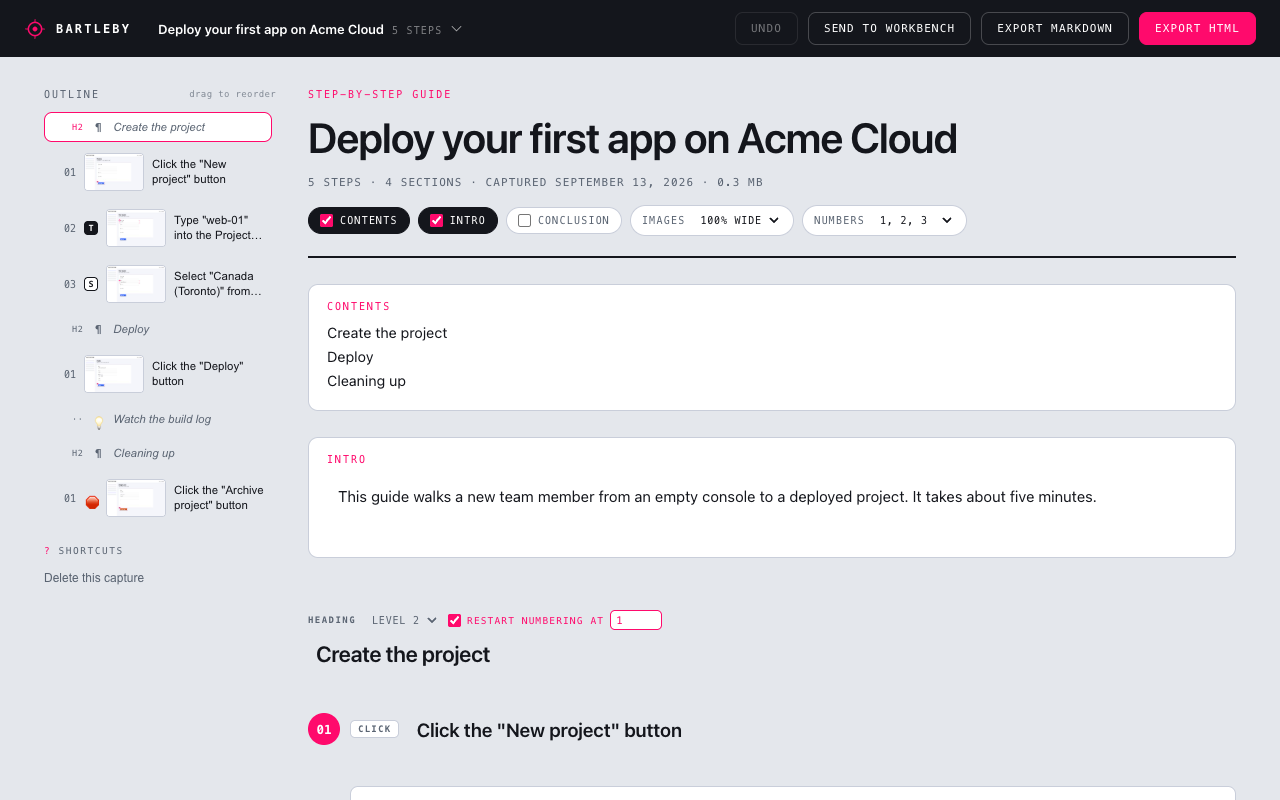
Bartleby is a browser extension that turns a click-through into a lab. Press record, work through your flow, press stop. Every click and every field you fill in becomes a numbered step with an annotated screenshot. Then send it to Author Workbench and it becomes an instructional lab, attached to your course, with the screenshots already in the lab's file library.
Install
- Download Bartleby for Chrome and unzip it somewhere you will keep it.
- In Chrome, open
chrome://extensions, switch on Developer mode (top right), click Load unpacked, and choose the unzipped folder. - Click the puzzle-piece icon in the toolbar and pin Bartleby so it is one click away.
A Chrome Web Store listing is in review. Once it is live, installing will be one click from the store and the extension will update itself. Until then, the release zip above is the way in.
Firefox is supported too. See Installing for Firefox and for how to update.
Record
- Click the Bartleby icon in the toolbar and press Record. The badge reads
RECand a panel opens beside the page showing steps as they land. - Work through your flow in any tab, as you normally would. Click slowly enough that each page settles: roughly one action every couple of seconds.
- Press Stop, in the popup or the panel.
Each click becomes a step titled from the page ("Click the New project button"), with a screenshot taken the moment you clicked, the target bracketed and numbered. Typing into a field folds into the click that opened it, so filling in a form reads as one step per field.
Password fields, card numbers and one-time codes are recorded as steps but never as values.
Send to Author Workbench
- Open Author Workbench and go to the course the lab belongs to.
- Click the N steps pill in the bottom-right corner. The card says where the lab will land.
- Check the lab name, leave Publish ticked or untick it to save a draft, and press Create lab.
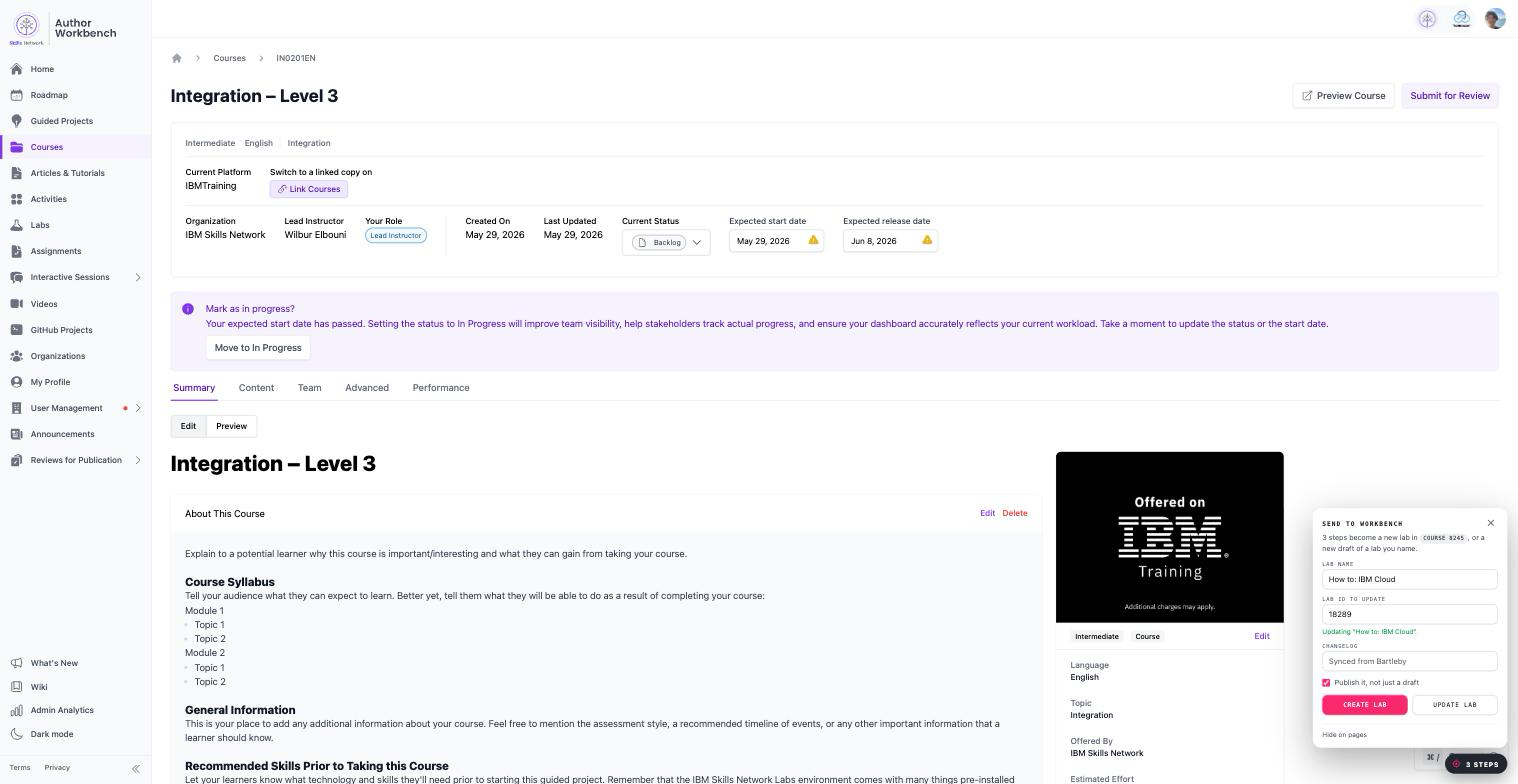
Thirty seconds later the card shows Open the lab. The lab is an instructional lab owned by the course's organization and attached to that course, with your headings, steps, callouts and screenshots inside. Push again later and it updates the same lab as a new draft.
That is the whole flow. Everything below is for when you want more.
Going further
- Installing: Firefox, updating, and installing without the store.
- Recording: what gets captured, how typing and dropdowns are handled, what Bartleby cannot see, and how to record cleanly.
- Editing the guide: rename steps, add notes and warnings, group steps under headings, restart numbering, narrow screenshots, add an intro and a contents list.
- Sending to Author Workbench: how the lab is created, what the page you are on decides, create versus update, publish versus draft, and what to do when a push fails.
- Exporting: a self-contained HTML guide that also plays as an interactive click-through, or a Markdown zip for a docs repo.
- FAQ and privacy: what stays on your machine, what is sent, and answers to the questions we get most.