Local Editing
Editing using a local installation of JupyterLab:
Prerequisites
- Have JupyterLab installed (installation instructions).
1. Install skillsnetwork-jupyter-extension
On the Extension Marketplace of JupyterLab, search and install skillsnetwork-jupyter-extension
Or, execute pip install skillsnetwork-jupyter-extension on your terminal.
2. Restart JupyterLab
Restart JupyterLab on your computer by executing on your terminal: jupyter lab
3. Copy your Lab Token
On Author Workbench, copy the lab token located on the Edit Notebook window of your lab.
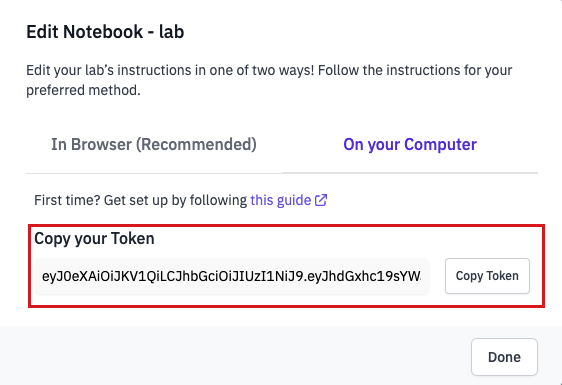
4. Edit Lab Instructions
Under the Skills Network tab on JupyterLab select Edit a lab. Then, paste the copied token and start editing your lab's instructions!

5. Publish
Once you are done, click Publish to publish your lab's instructions.
